

New
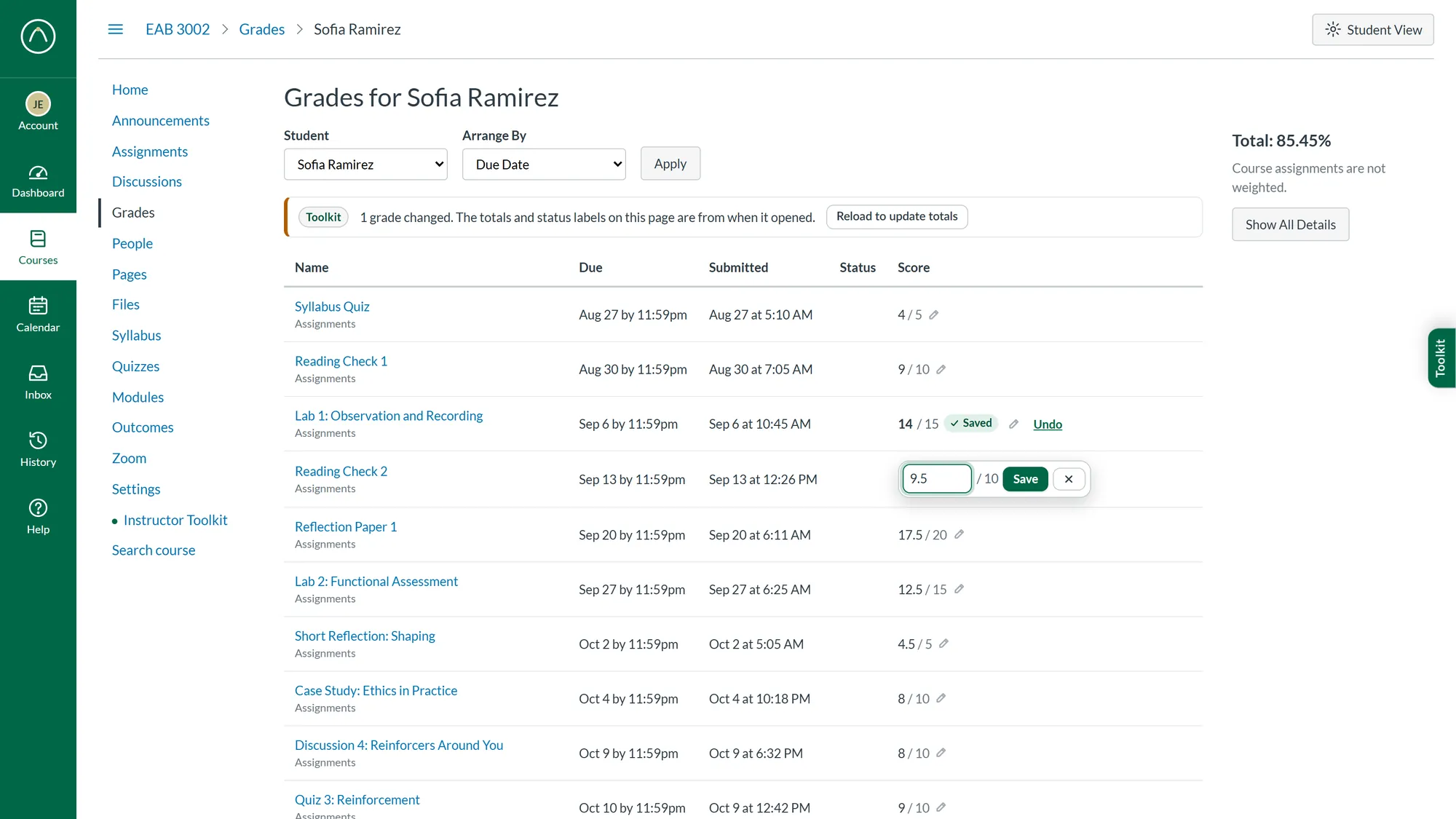
Edit grades on a student’s Grades page
Click any score on a student’s Grades page to change it. Enter saves and opens the next score, EX excuses, and Undo puts the grade back.

Instructor Toolkit for Canvas is a browser extension that puts instructor tools right inside Canvas: one queue for everything waiting on a grade, a faster SpeedGrader, due dates you edit in place, and a clear view of who needs help.
A four-minute tour of the Toolkit. Every screen is the real extension, shown with made-up demo data.
A few of the tools, as they look inside Canvas. Select a picture to see the whole screen.
Everything that needs a grade, in fewer clicks.
New
Click any score on a student’s Grades page to change it. Enter saves and opens the next score, EX excuses, and Undo puts the grade back.
New
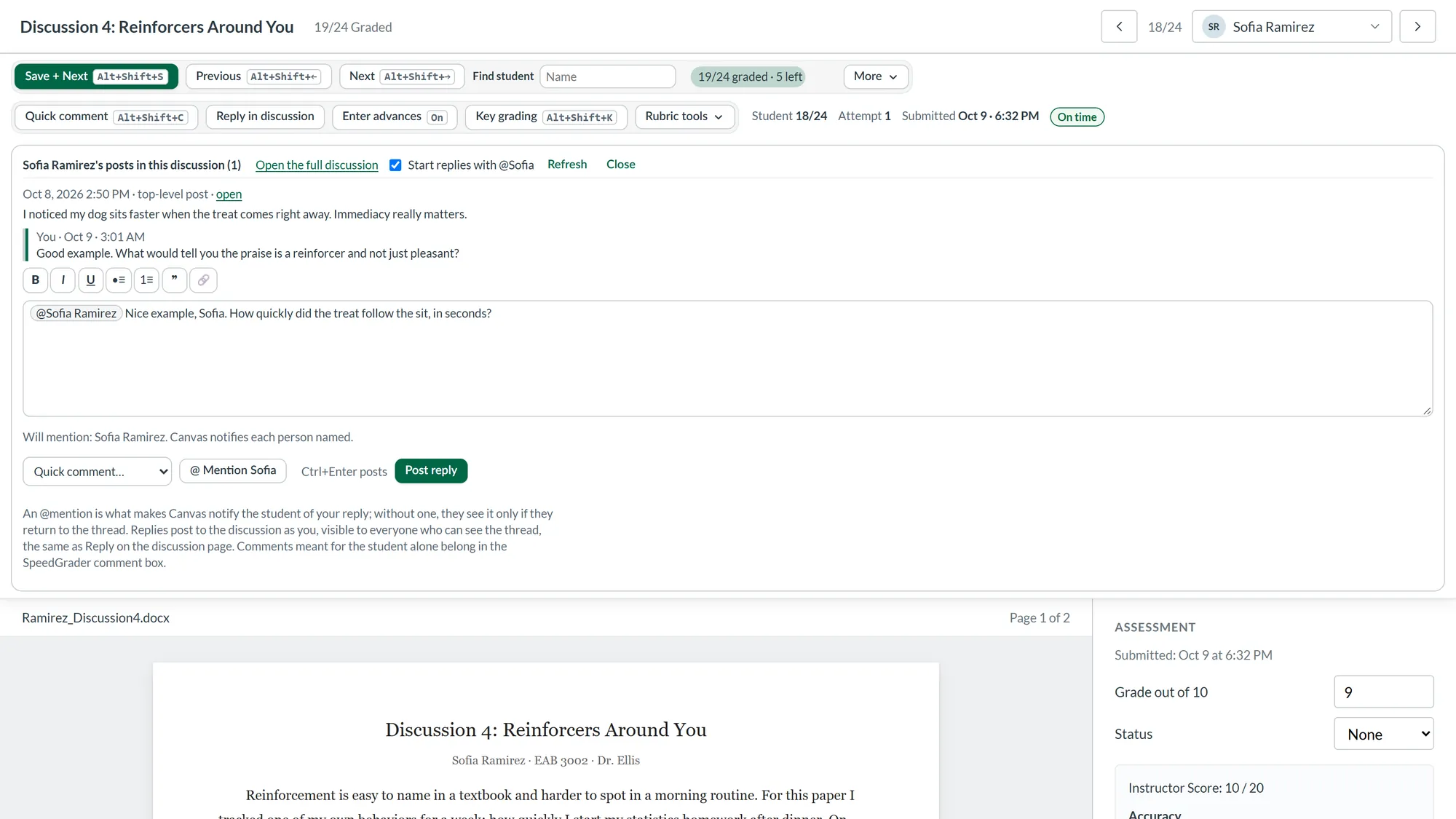
Read a student’s posts and reply to them while you grade, with formatting and an @mention so Canvas notifies them, without leaving SpeedGrader.
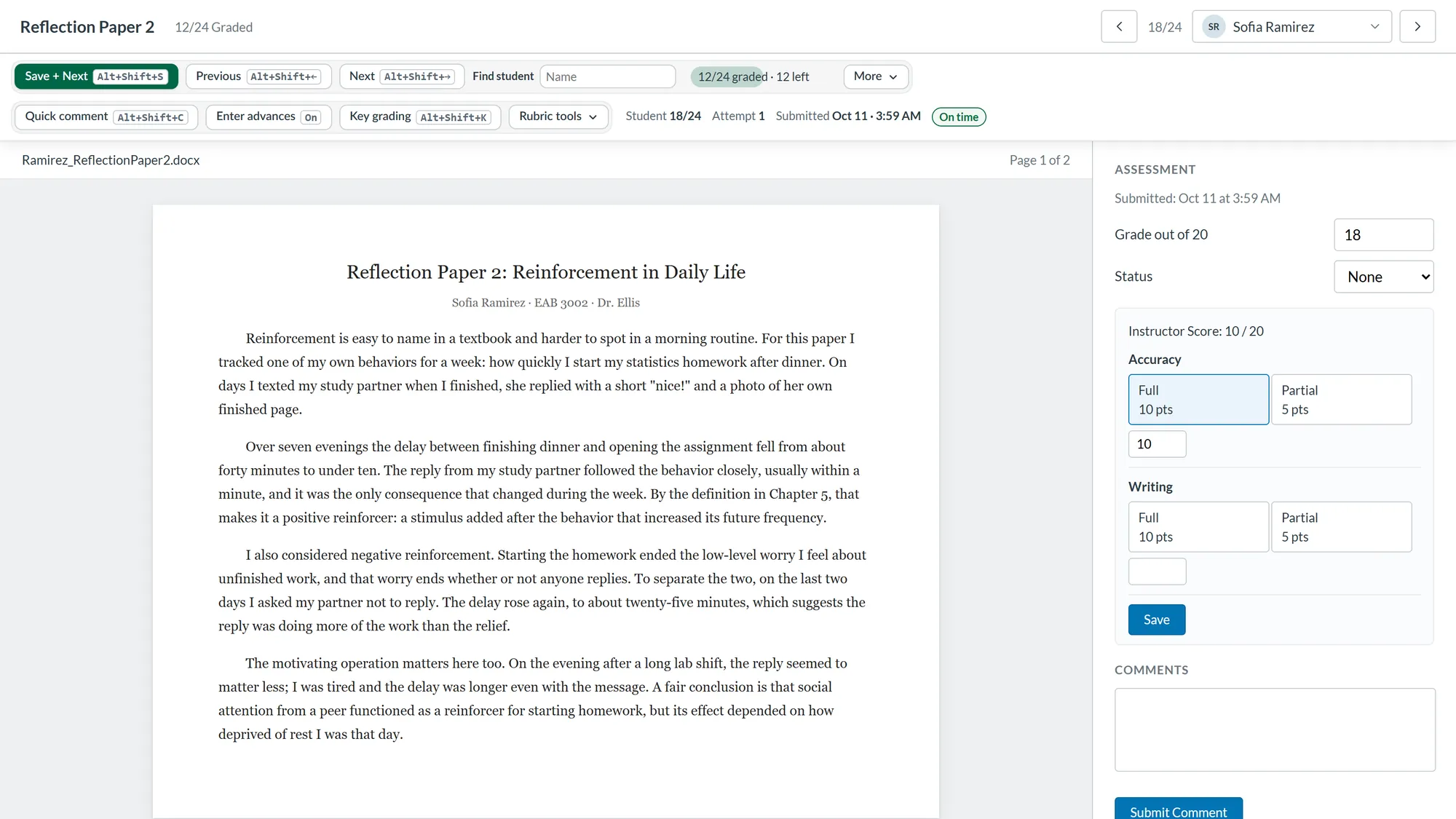
Save + Next, Find student, quick comments, and rubric grading from the keyboard, in a toolbar above Canvas’s own.
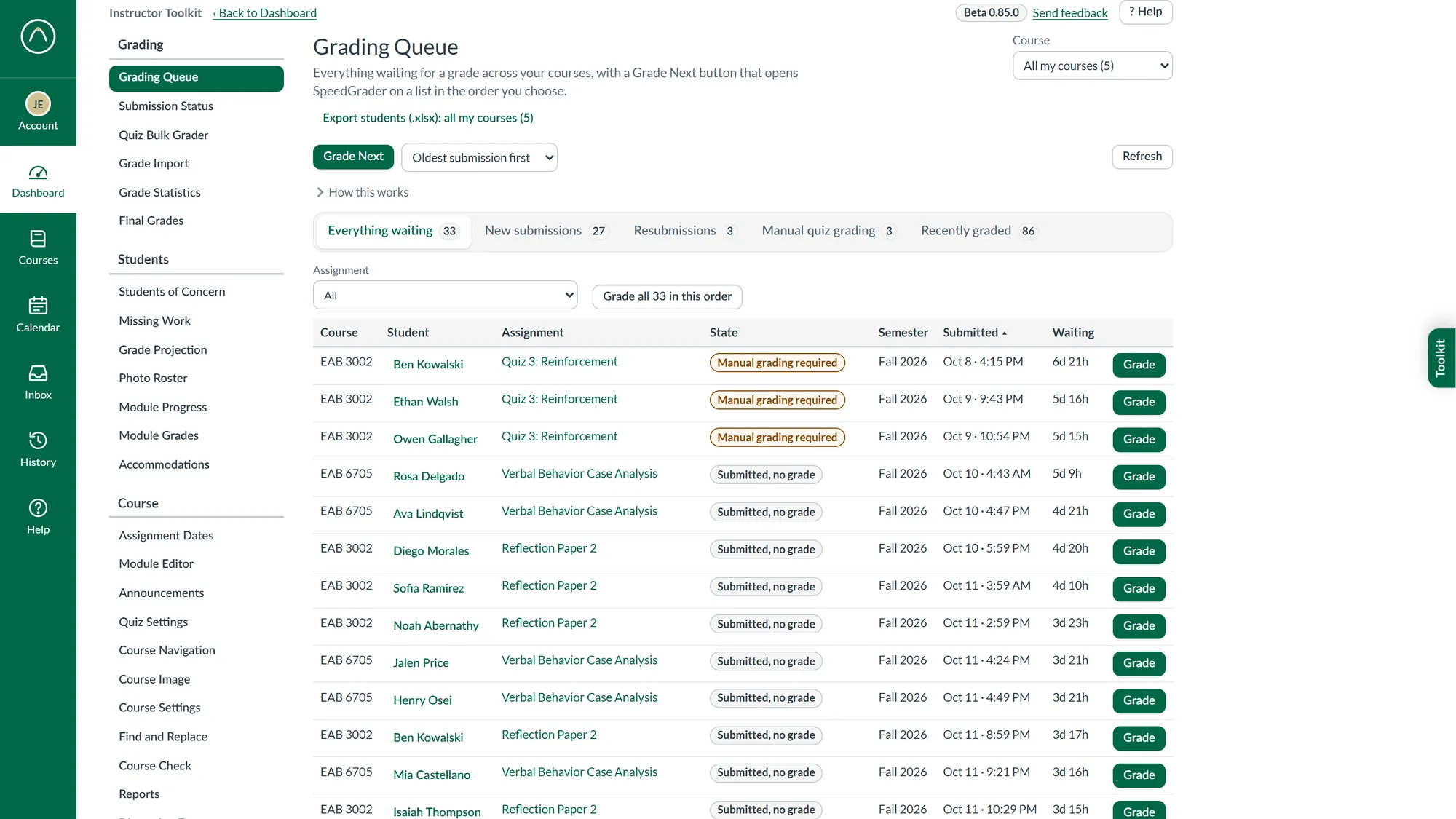
Everything waiting for a grade across your courses, oldest first. Grade Next opens SpeedGrader on each one in turn.
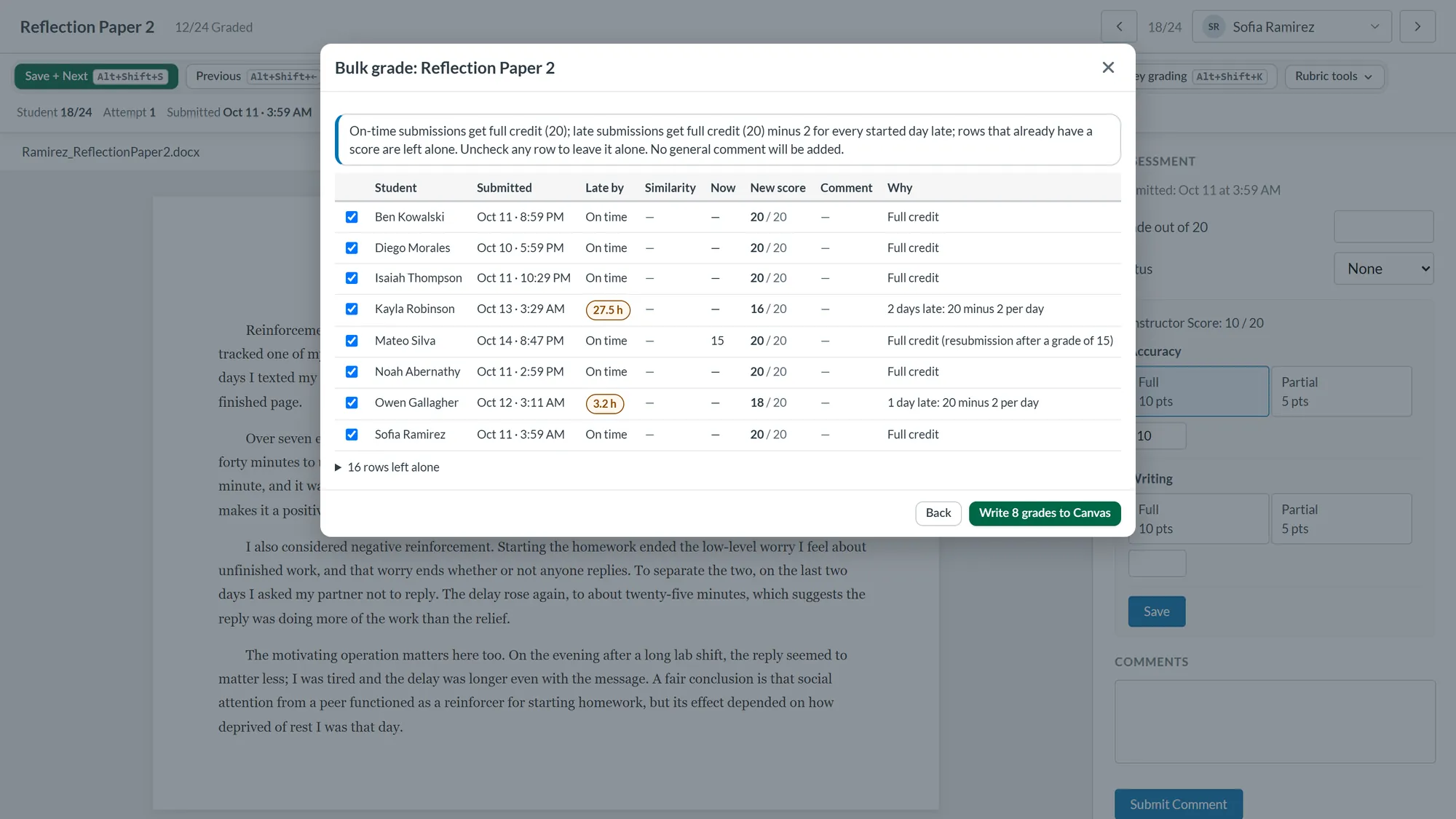
Score every submission by a rule, such as a late penalty per day. You check each row before anything is written, and one click undoes the run.
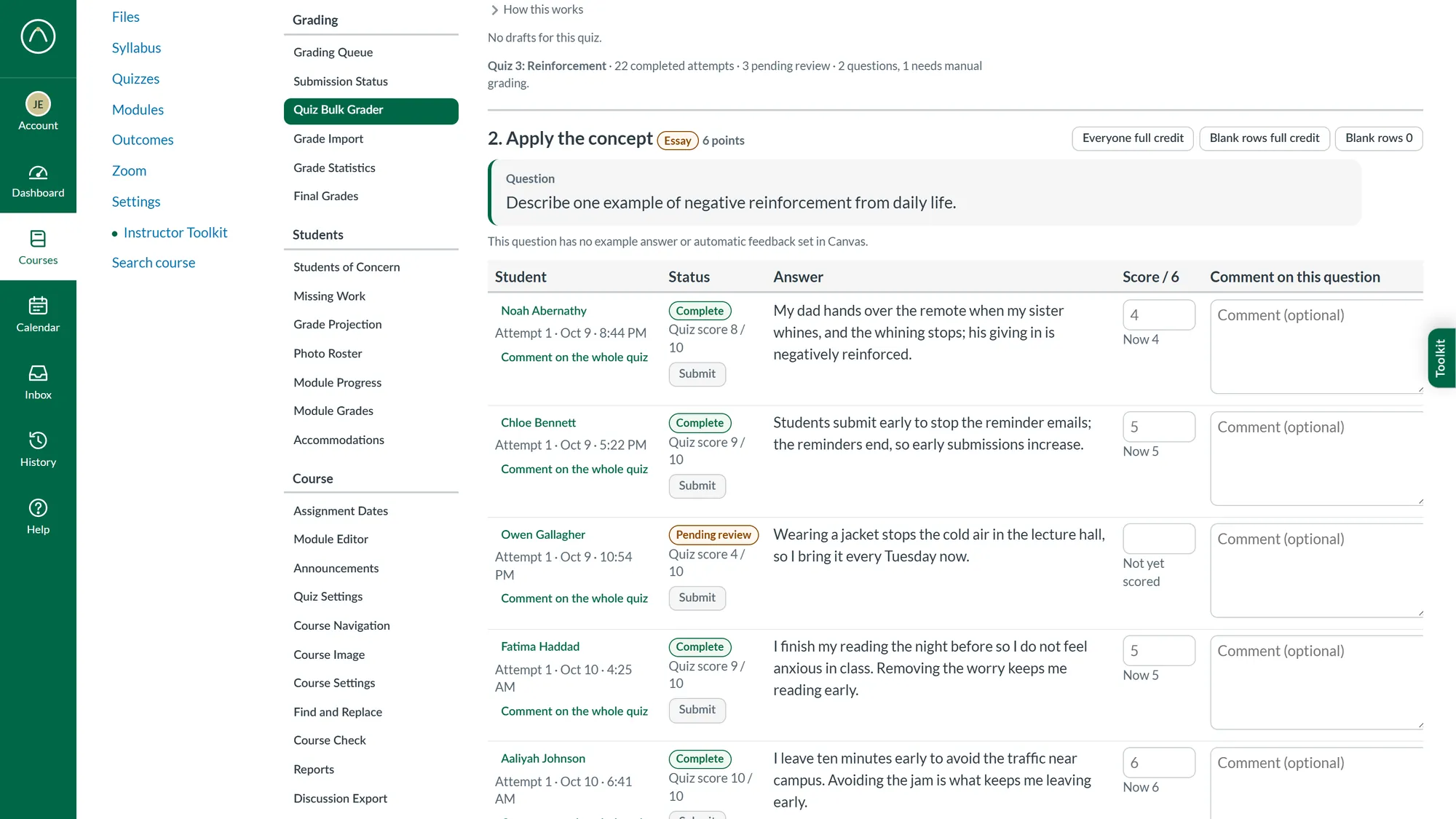
Every student’s answer to one essay question in a single table, so you score and comment down the column.
Dates, setup, and checks without opening every page.
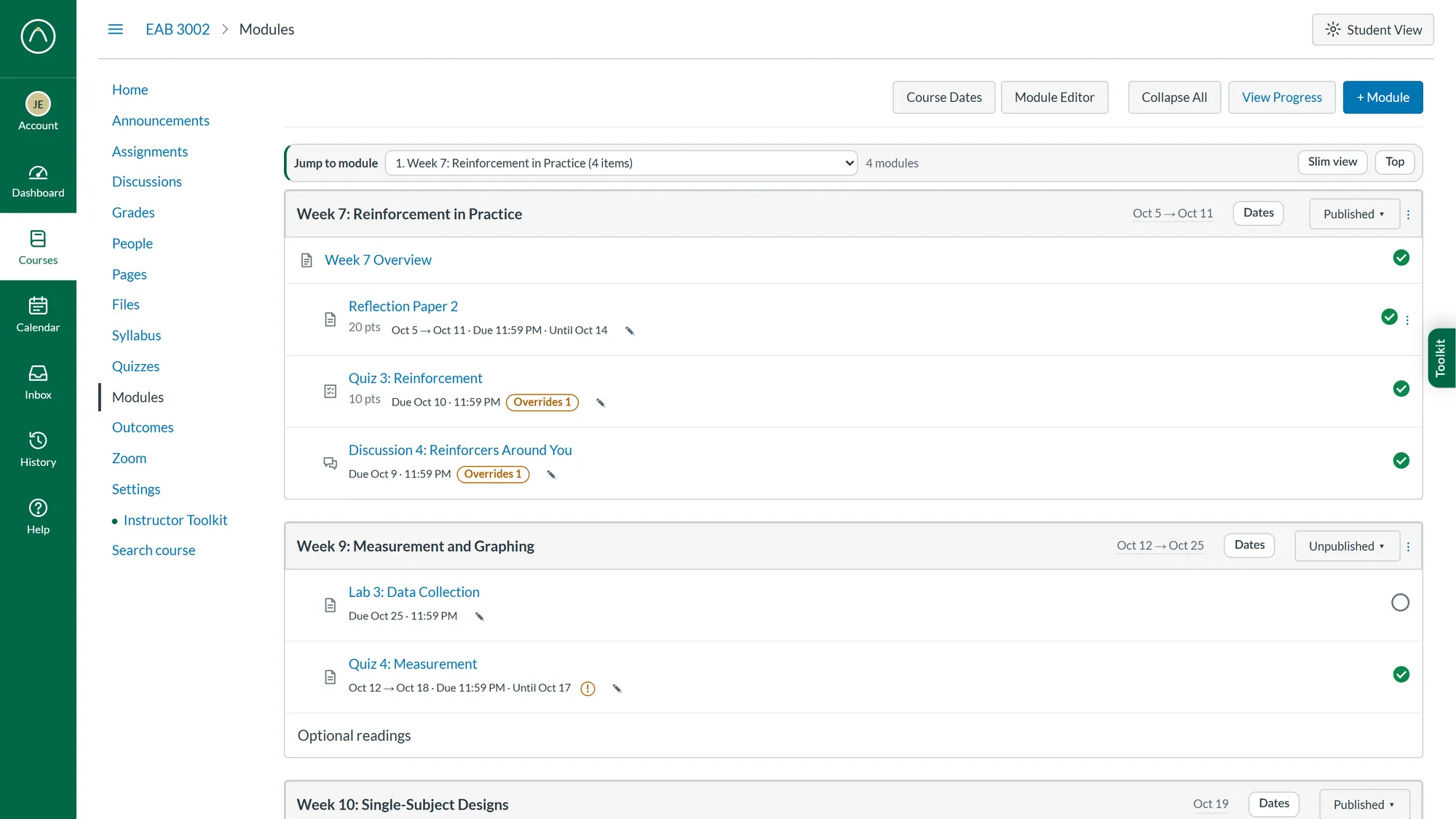
Due, available, and until dates sit on every graded item on the Modules page, and you edit them right where you see them.
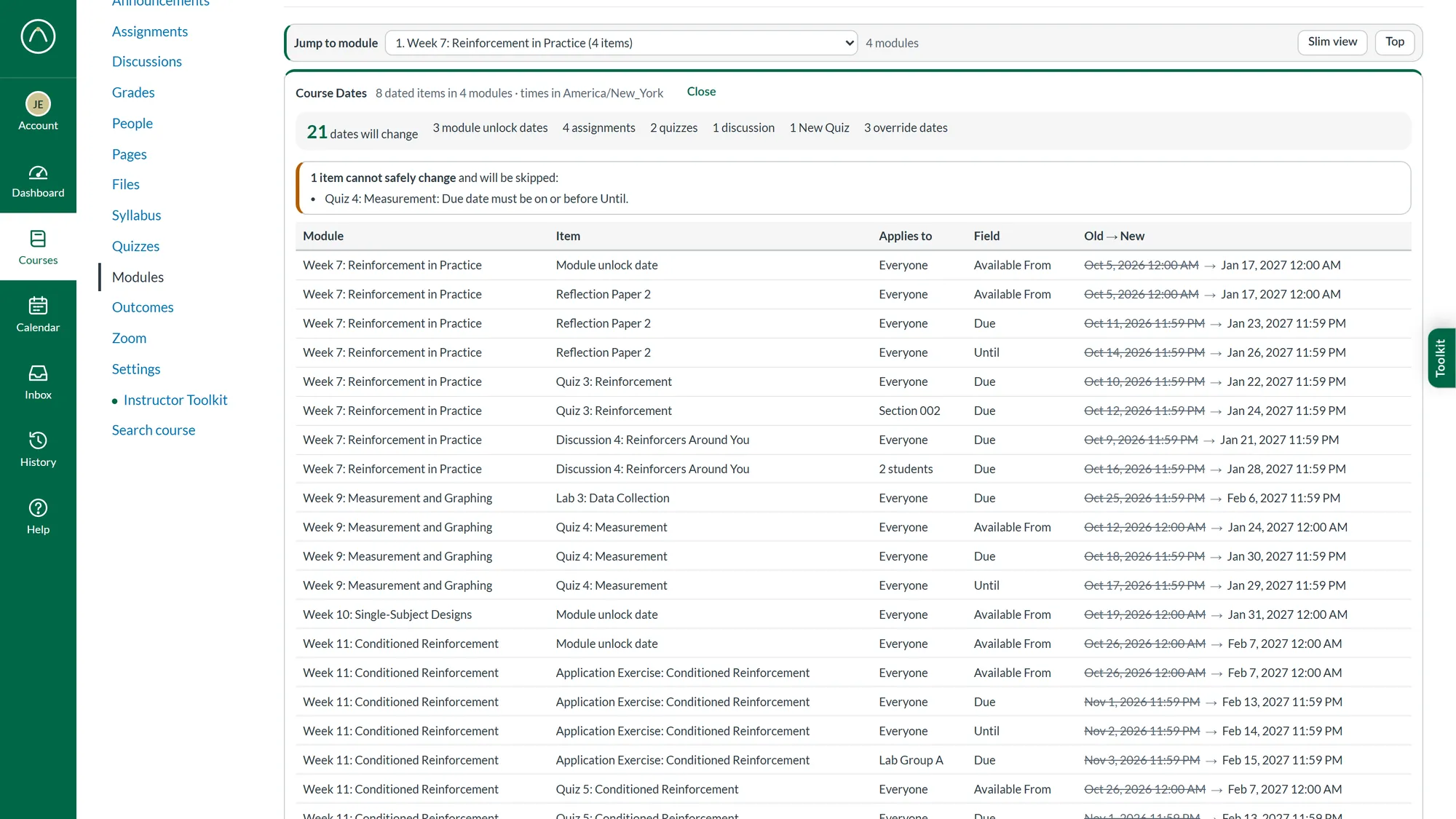
Move every date in a course to a new semester. Each change is listed for you to review before anything is saved.
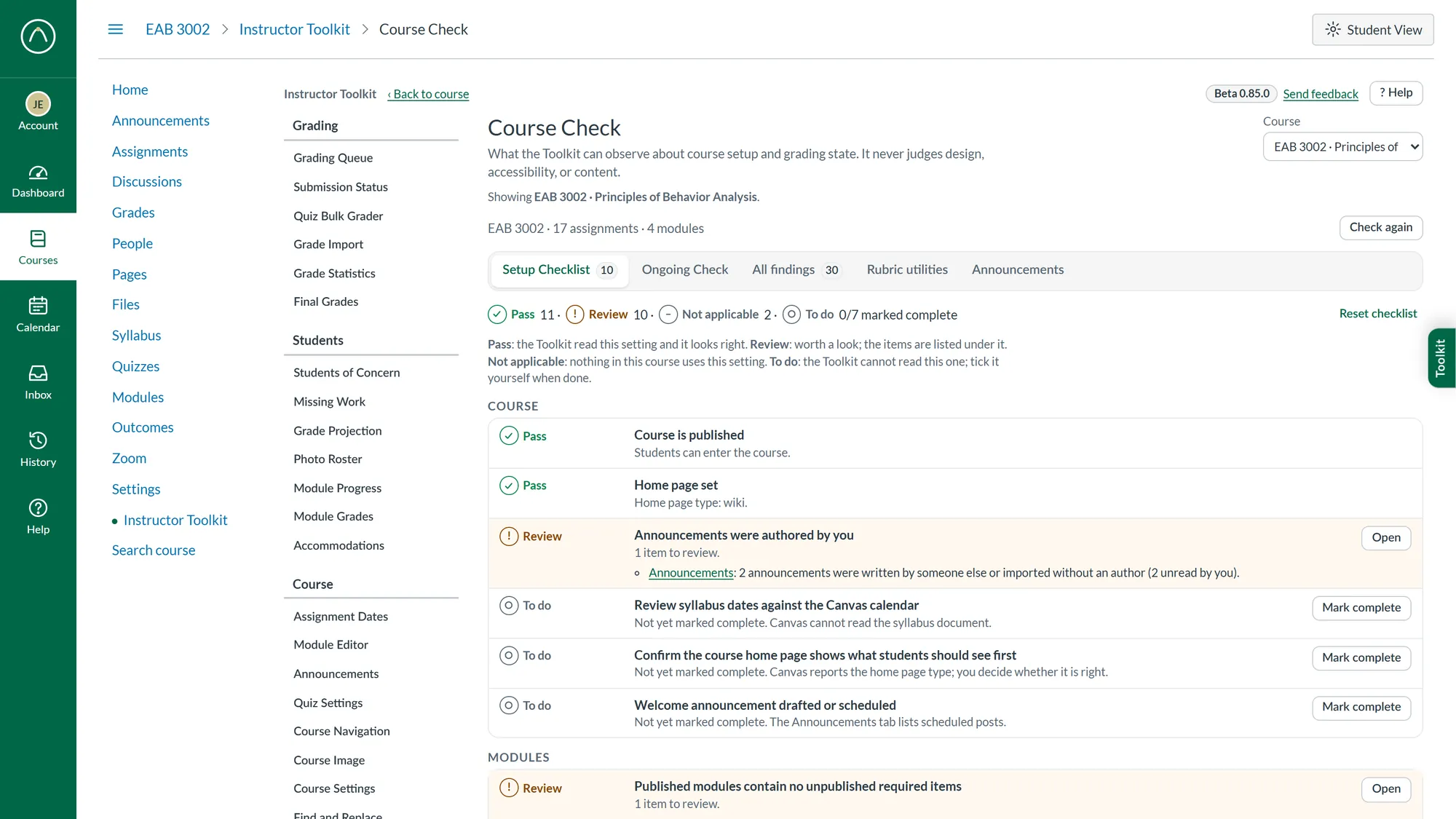
A setup checklist for the start of term, and ongoing checks of dates, rubrics, modules, and grading.
Find the students who need help while there’s still time.
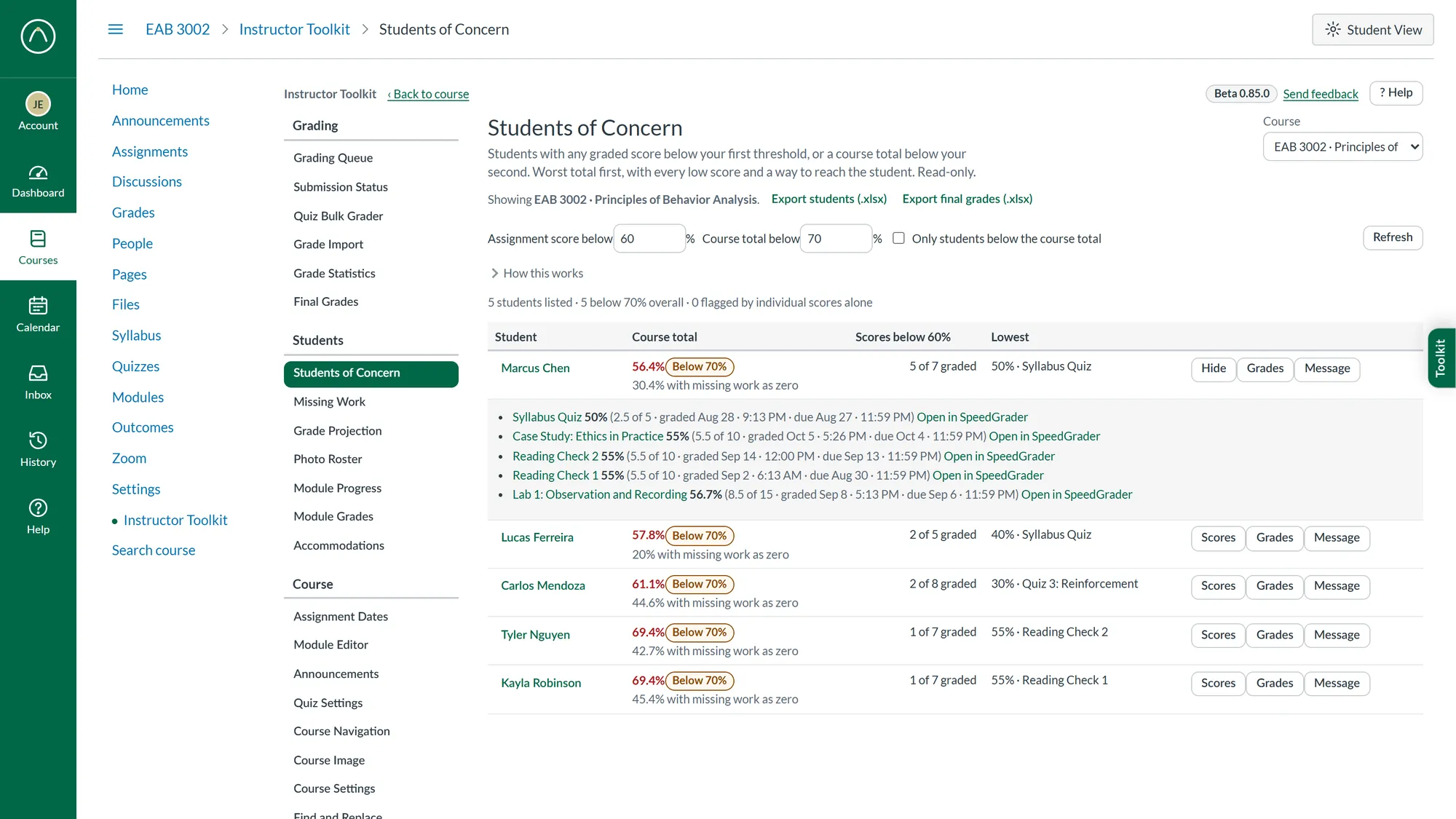
Students with a low score or a slipping course total, lowest first, with every low score one click from SpeedGrader.
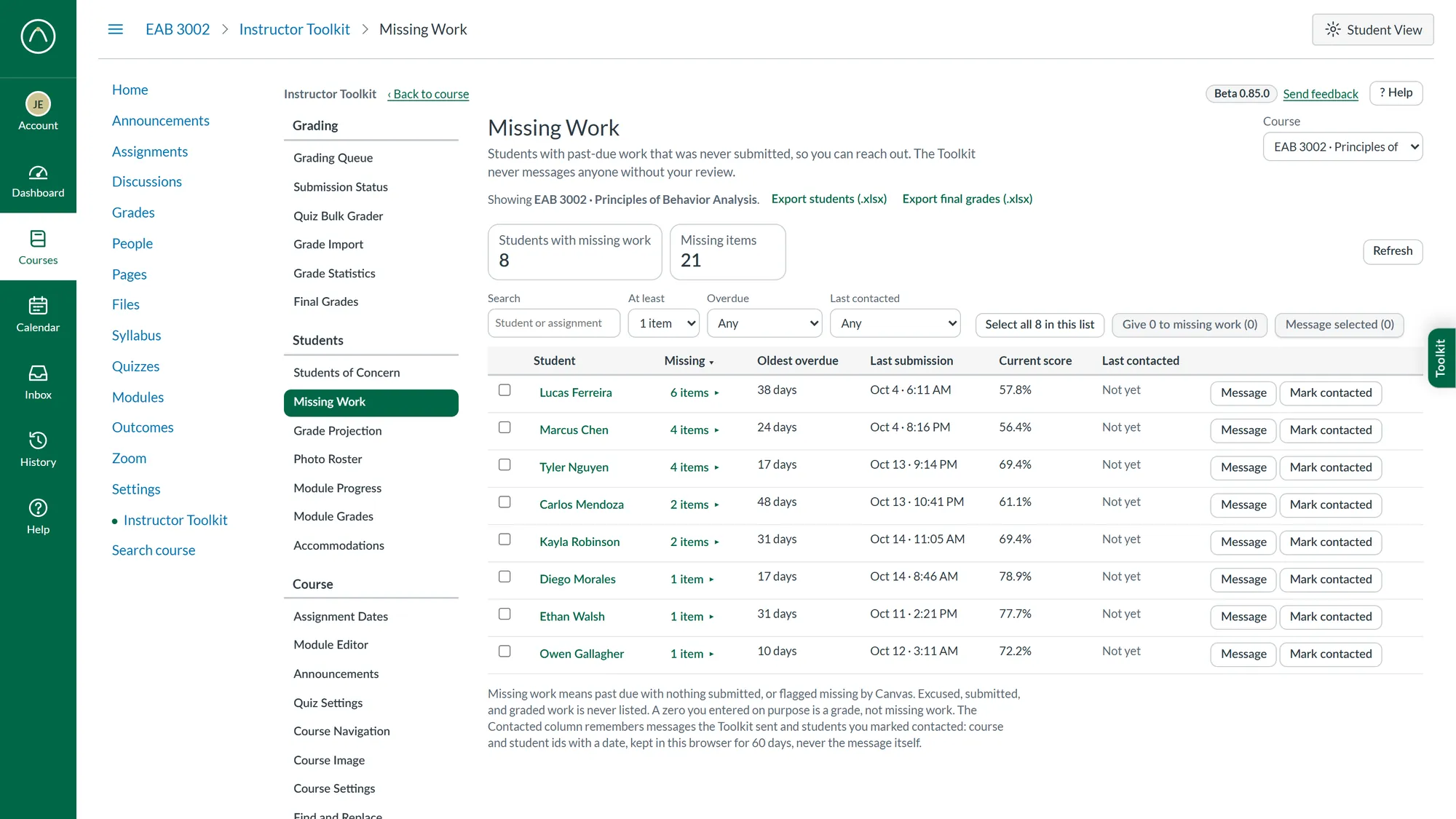
Past-due work nobody submitted, by student, with messages you review before they go and a note of who you already contacted.
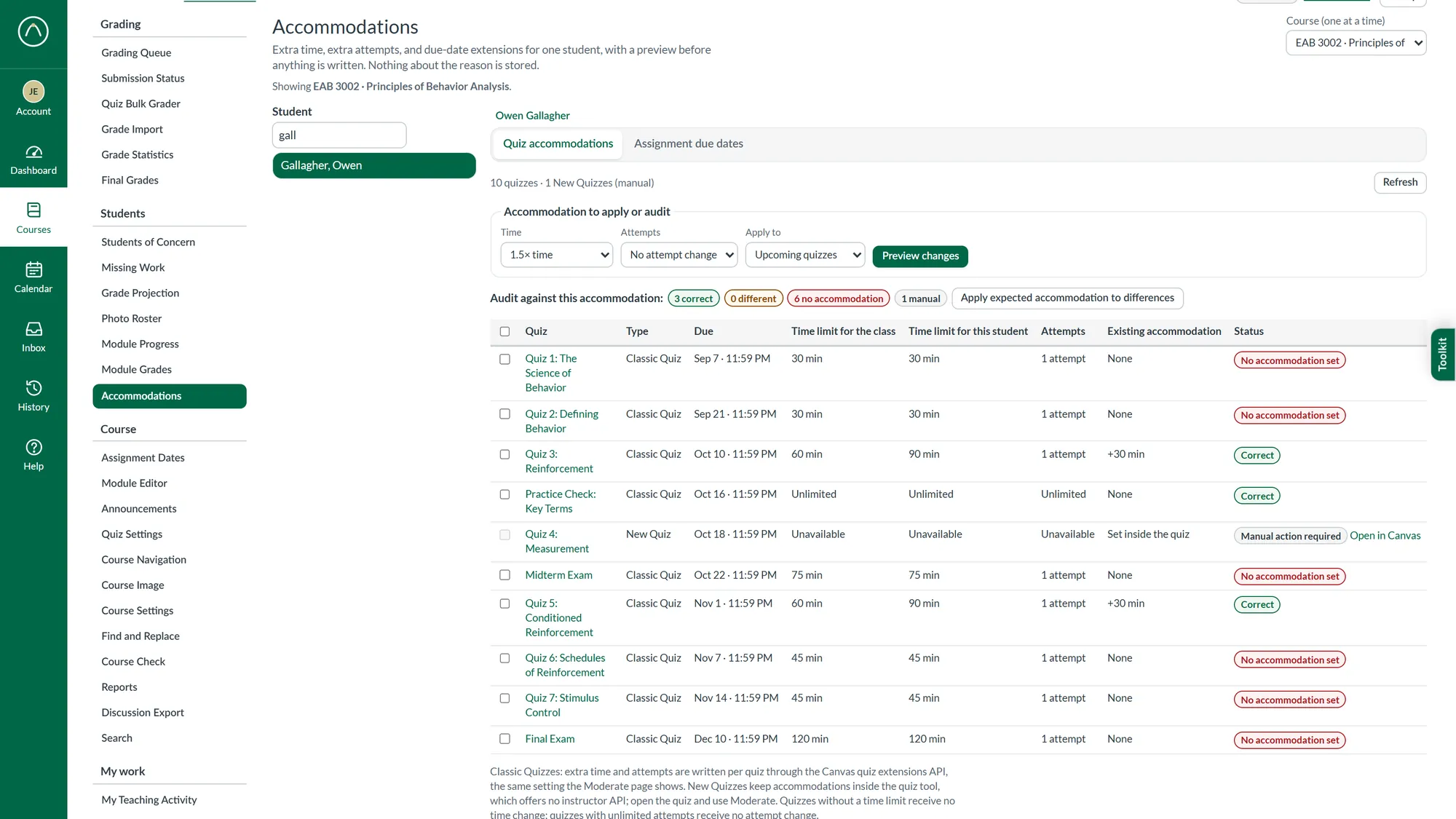
Extra time, extra attempts, and extended due dates for one student across every quiz and assignment, each after a preview.
Canvas, arranged the way you work.
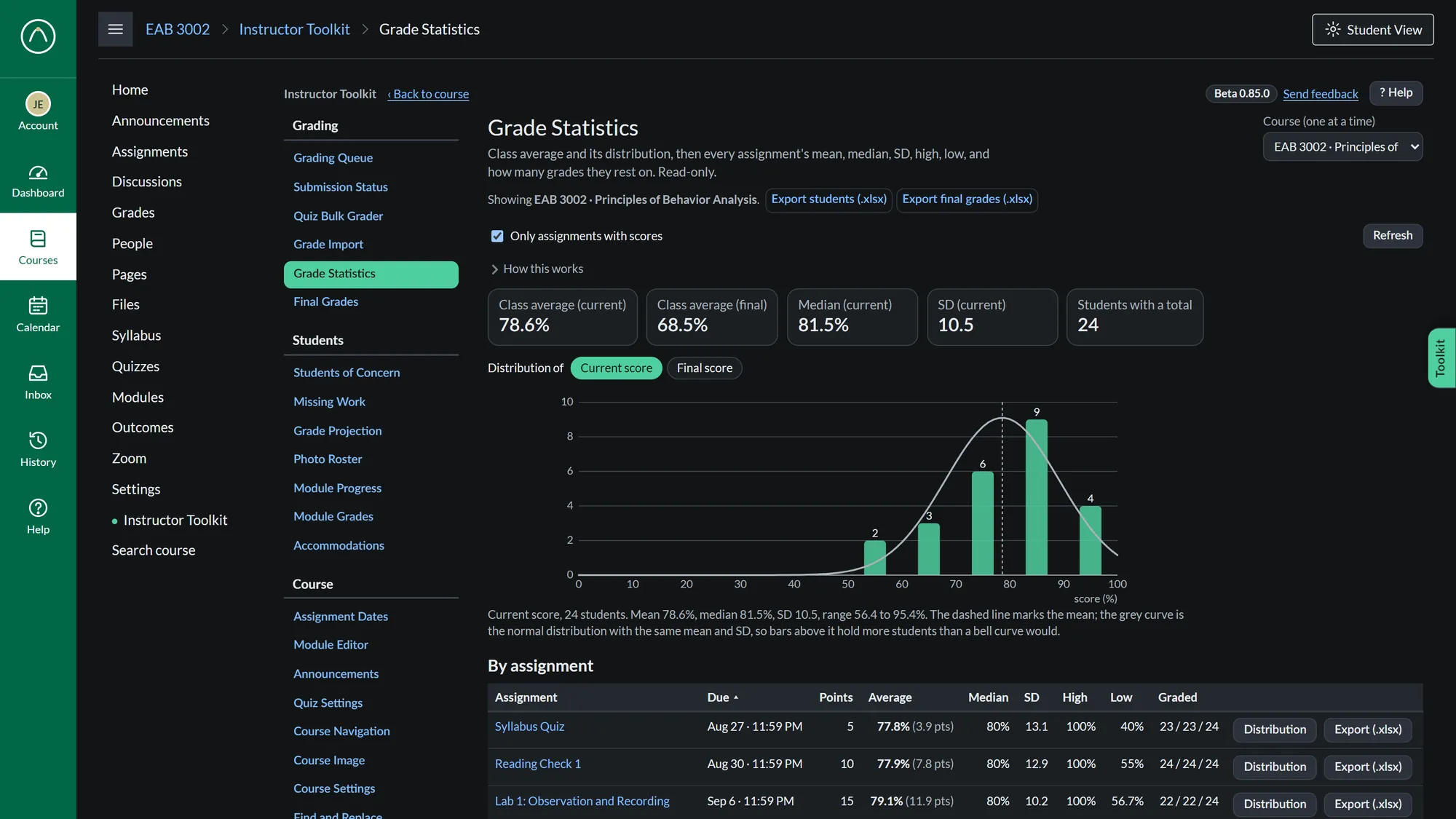
A real dark theme for Canvas, or one that follows your computer’s setting.
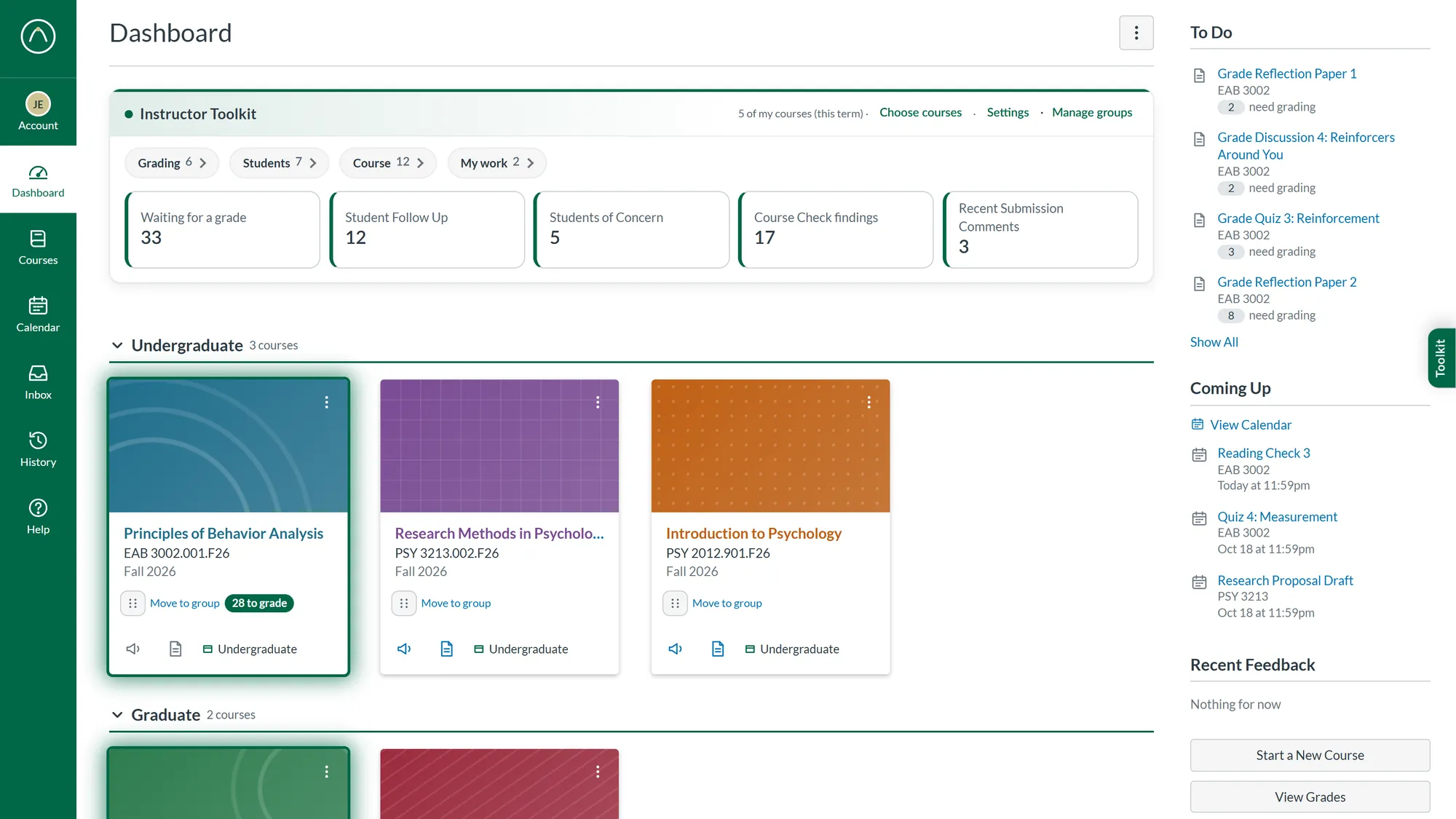
Sort course cards under headings you name, label any card, and see which courses have work waiting.
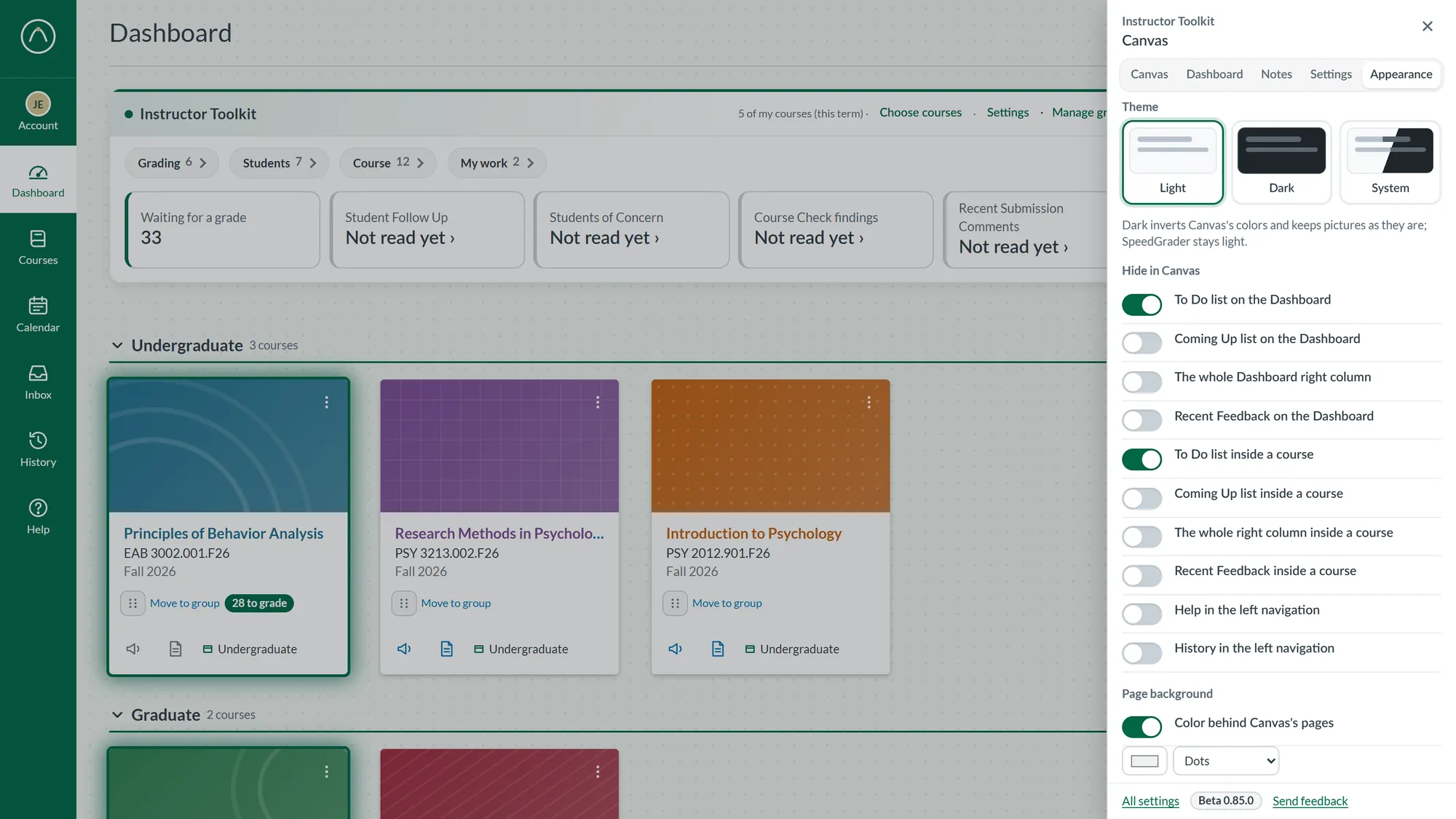
Switch off the Dashboard lists and navigation entries you never open, and choose a page background.
No servers. No tracking. Your students’ data stays in Canvas.
The Toolkit is available to USF instructors by request. Send a short note with your name, department, and the courses you teach.
Or email [email protected] directly.